
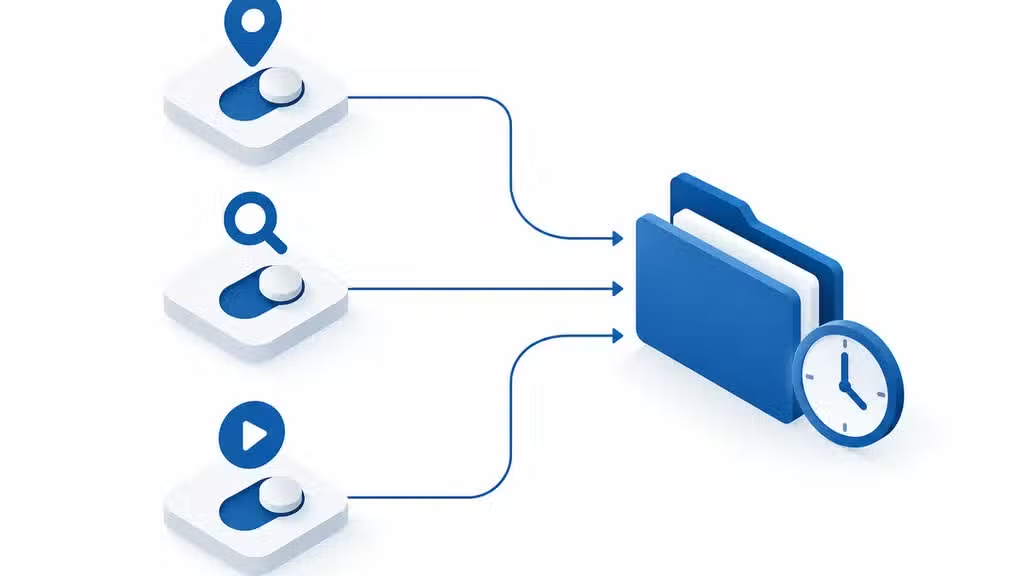
Every search, location visit, and voice command your employees log on Google feeds into a profile that shapes ads, autocomplete suggestions, and sometimes unexpected data exposures. For Burbank business owners, those same Activity Controls that personalize consumer experiences can also create compliance headaches and security gaps when company devices mix personal and work accounts.
Understanding how Google Activity Controls function is not just a privacy preference, it is a operational necessity for any business handling client data, employee records, or regulated information across Los Angeles County. This checklist breaks down what each control actually captures, where the risks hide, and how to configure settings that protect your business without crippling productivity.
Key takeaways from this article:
- Web & App Activity, Location History, and YouTube History are the three core Google Activity Controls that capture the majority of business-sensitive data.
- Turning off Location History does not delete past data or stop all location signals; Google may still collect location through Web & App Activity and device-level services.
- Auto-delete settings let businesses set 3, 18, or 36-month retention windows instead of keeping data indefinitely.
- Google Workspace administrators can enforce Activity Controls policies across an organization, but personal Gmail accounts on company devices bypass those central rules.
What Google Activity Controls actually capture
Google Activity Controls govern how the company collects and stores data across its ecosystem of services. The three primary controls are Web & App Activity, which logs searches, browsing, and app interactions; Location History, which builds a timeline of physical movements; and YouTube History, which tracks watch and search behavior on the platform.
A fourth control, Ad Personalization, determines whether Google uses this collected data to build advertising profiles. For Burbank businesses, the critical distinction is that these controls operate at the Google account level, not the device level, meaning an employee signed into personal Gmail on a company laptop funnels that device’s activity into their individual profile.
Google Activity Controls Checklist for Burbank Businesses
- ✓Audit all Google accounts with access to company data: Identify Workspace vs. personal accounts on every device
- ✓Enable auto-delete on managed Workspace accounts: Set 3-month retention for Web & App Activity and Location History
- ✓Require separate Chrome profiles for work and personal use: Prevent browsing history merge into personal Google accounts
- ✓Document personal account usage policy in employee handbook: Include prohibition on personal Gmail sign-in on company devices without approval
- ✓Verify Location History is disabled on all company-managed mobile devices: Check both Google account settings and device-level location permissions
- ✓Schedule quarterly review of My Activity dashboard for shared or service accounts: Delete historical data that exceeds operational need
- ✓Configure Google Workspace admin policies to enforce Activity Controls: Apply group policies that override individual user settings
- ✓Test discovery response process with sample data request: Confirm IT can produce or certify deletion of relevant activity records
Settings and interfaces referenced are current as of 2025. Verify against latest Google Workspace admin documentation before implementation.

Why Location History creates unique exposure for Los Angeles businesses
Location History does more than map commutes. It records client site visits, supplier pickups, competitor meetings, and employee whereabouts with precision that can reveal business relationships, contract negotiations, or staffing patterns.
For businesses in Burbank working with entertainment industry clients, this timeline data can expose unreleased project locations or confidential production schedules.
The risk compounds when employees use personal Google accounts for work purposes. A location timeline that shows repeated visits to a specific studio lot or post-production facility becomes discoverable data in litigation, and California’s broad discovery rules make this more consequential than in many other jurisdictions.

The gap between consumer controls and Google Workspace governance
Google Workspace administrators can configure Activity Controls for organizational accounts, setting policies that limit data collection, enforce auto-delete periods, or disable certain controls entirely. These policies apply only to accounts within the managed domain, such as employee@companyname.com addresses.
Personal Gmail accounts, even when used for work communication on company hardware, remain under individual control. This creates a shadow data layer that most IT departments cannot monitor or manage without mobile device management policies that explicitly separate work and personal profiles.
How auto-delete settings reduce long-term liability
Google introduced auto-delete options in 2019, allowing users to set data retention to 3 months, 18 months, or 36 months instead of indefinite storage. For businesses, the 3-month window significantly reduces the volume of historical data subject to subpoena, breach exposure, or accidental discovery.
The setting applies prospectively, meaning previously collected data remains stored unless manually deleted through Google’s My Activity dashboard. Businesses should treat auto-delete as a forward-looking risk reduction tool, not a retroactive cleanup mechanism.
Practical steps for auditing Activity Controls across your team
Start with an inventory of which Google accounts access company data, including shared Chrome profiles, synced bookmarks, and saved passwords. Document whether each account is a managed Workspace account or a personal account, as this determines which controls your IT team can enforce centrally.
Review the auto-delete settings on all managed accounts and communicate a clear policy for personal account use on company devices. Employees should understand that signing personal Gmail into Chrome on a work laptop merges that browsing history into their personal Web & App Activity record.

How TVG Consulting helps Burbank businesses manage Google data exposure
TVG Consulting has spent more than 20 years helping businesses in Burbank, CA and the Greater Los Angeles area navigate the intersection of productivity tools and data security. Our team configures Google Workspace environments with enforced Activity Controls policies, auto-delete schedules, and device management rules that prevent personal account bleed into corporate data pools.
We provide on-site and remote IT support with local presence in both Los Angeles and Nashville areas, including cybersecurity solutions, cloud workspace configuration, and endpoint management for distributed teams.
How Burbank’s entertainment industry workforce complicates Activity Controls management
Burbank’s identity as a media production hub means many local businesses employ freelancers, contractors, and project-based talent who cycle through multiple employers. These workers often use the same personal Google accounts across studios, agencies, and production companies, creating overlapping data trails that standard Activity Controls settings cannot easily separate.
A freelance video editor might have Location History enabled for personal convenience, yet that same account accesses shared project folders in Google Drive for three different Burbank employers. Each employer sees only their own Workspace data, while the freelancer’s personal Activity Controls continue logging cross-company behavior in ways no single IT department can monitor.
Production schedules in Burbank also demand rapid onboarding, which frequently leads to skipped privacy briefings and default acceptance of all Google data collection. Crew members brought on for eight-week shoots rarely receive thorough guidance on configuring Activity Controls before accessing sensitive pre-release materials.
The geographic concentration of competing studios within Burbank’s media district amplifies these risks. Location History data from a single device could theoretically reveal meetings at rival facilities, lunch conversations at industry hangouts, or residence patterns that expose staffing changes before official announcements.
TVG Consulting addresses this through role-based Activity Controls templates designed specifically for entertainment industry employment structures. We distinguish between permanent staff, recurring contractors, and one-project vendors, applying appropriately granular privacy configurations for each category.
Our approach also includes offboarding protocols that verify Activity Controls data separation when freelance relationships end. This prevents former contractors from carrying residual access patterns into their next Burbank engagement, protecting both the departing worker’s privacy and the former employer’s operational confidentiality.

The intersection of California privacy law and Google Activity Controls compliance
California’s Consumer Privacy Act and subsequent amendments create specific obligations that Burbank businesses cannot satisfy through Google Activity Controls alone. These laws grant consumers rights to know, delete, and opt out of sale of personal information, yet Google’s interface does not automatically map consumer-facing controls to business compliance frameworks.
A Burbank business must maintain independent records of what Activity Controls data it collects, how long it retains that information, and whether any third parties receive access. Google provides raw functionality, but legal compliance requires documented processes that exist outside Google’s native tools.
The California Privacy Protection Agency has signaled particular interest in precise geolocation data, which Location History represents in its most detailed form. Businesses that allow employees to access company resources from personally configured devices may inadvertently collect geolocation data subject to enhanced regulatory scrutiny.
Employee notification requirements add another layer of complexity. California law mandates that workers understand what personal information employers collect and why, yet many Burbank businesses have not updated their handbooks to address Activity Controls specifically.
Generic technology policies fail to meet this standard.
TVG Consulting develops California-compliant disclosure documents that explicitly address Google Activity Controls, Location History, and associated data categories. We align these disclosures with actual technical configurations rather than presenting aspirational privacy commitments that operational reality cannot support.
Our compliance reviews also examine whether a business’s stated data retention periods match its auto-delete settings in practice. Mismatches between policy and configuration create liability exposure that regulators can identify through routine audit.
We close these gaps before they become enforcement targets.
For Burbank businesses with unionized workforces, collective bargaining agreements may impose additional restrictions on location monitoring and off-hours data collection. TVG Consulting analyzes these agreements alongside Activity Controls configurations to prevent conflicts that could generate labor disputes.
Frequently Asked Questions
Can my employees use personal Gmail on company devices without creating data risks?
Personal Gmail use on company devices creates a data trail outside your administrative control. The browsing history, location signals, and app activity from that device flow into the employee’s personal Google account, where your IT team cannot enforce retention policies or respond to discovery requests.
Does turning off Location History stop all location tracking on Android devices?
Turning off Location History in Google Activity Controls stops the timeline feature, but Google may still collect location data through Web & App Activity, search queries, and device-level location services. For comprehensive location privacy, businesses need to address multiple settings across both Google accounts and device operating systems.
How do I set auto-delete for data my company has already collected?
Auto-delete applies only to data collected after you enable the setting. To remove existing historical data, an administrator or individual user must manually delete records through the My Activity dashboard, which allows filtering by date range, product, and keyword before bulk deletion.
What happens to Activity Controls data if we migrate from personal Gmail to Google Workspace?
Data collected under a personal Gmail account stays with that account and does not transfer to a new Google Workspace account. Migration tools move emails, calendars, and documents, but the historical activity profile remains in the personal account, which is why many businesses require account separation as part of their onboarding process.
Can TVG Consulting help us audit our current Google data exposure?
TVG Consulting offers cybersecurity solutions and cloud workspace configuration for businesses in Burbank and across Greater Los Angeles, including assessments of Google Activity Controls settings, Workspace policy enforcement, and endpoint management that prevents unauthorized account usage on company hardware.
Are Burbank businesses liable for Google Activity Controls data collected by employees using personal devices?
California law generally attributes data collection to the entity that directs or benefits from it, not merely the device owner. If your Burbank business requires employees to access company systems through personal Google accounts or devices, you may bear compliance responsibility for associated Activity Controls data.
TVG Consulting evaluates your specific access architecture to determine applicable obligations and implement appropriate safeguards.

About the author
Garett Chipman - CEO, TVG Consulting
Garett Chipman is an IT executive and entrepreneur with more than 20 years of experience designing business technology solutions. He founded TVG Consulting in 2005 after holding CTO and management roles at companies including GRB Entertainment and AMG, and as CEO he oversees overall client operations, strategic technology decisions, and custom AI and automation design.